
drive your agent,
ditch the desk
Your real tmux workspace, in your hand. Run one command, scan the QR, and keep coding with Claude Code, Codex, Git and previews from anywhere.
Agents keep running on your computer. Review, approve and type from any browser — no mobile app or handmux account.
Real panes, real work: prompt your agent, answer when it needs you, then review code, files and usage from your phone.
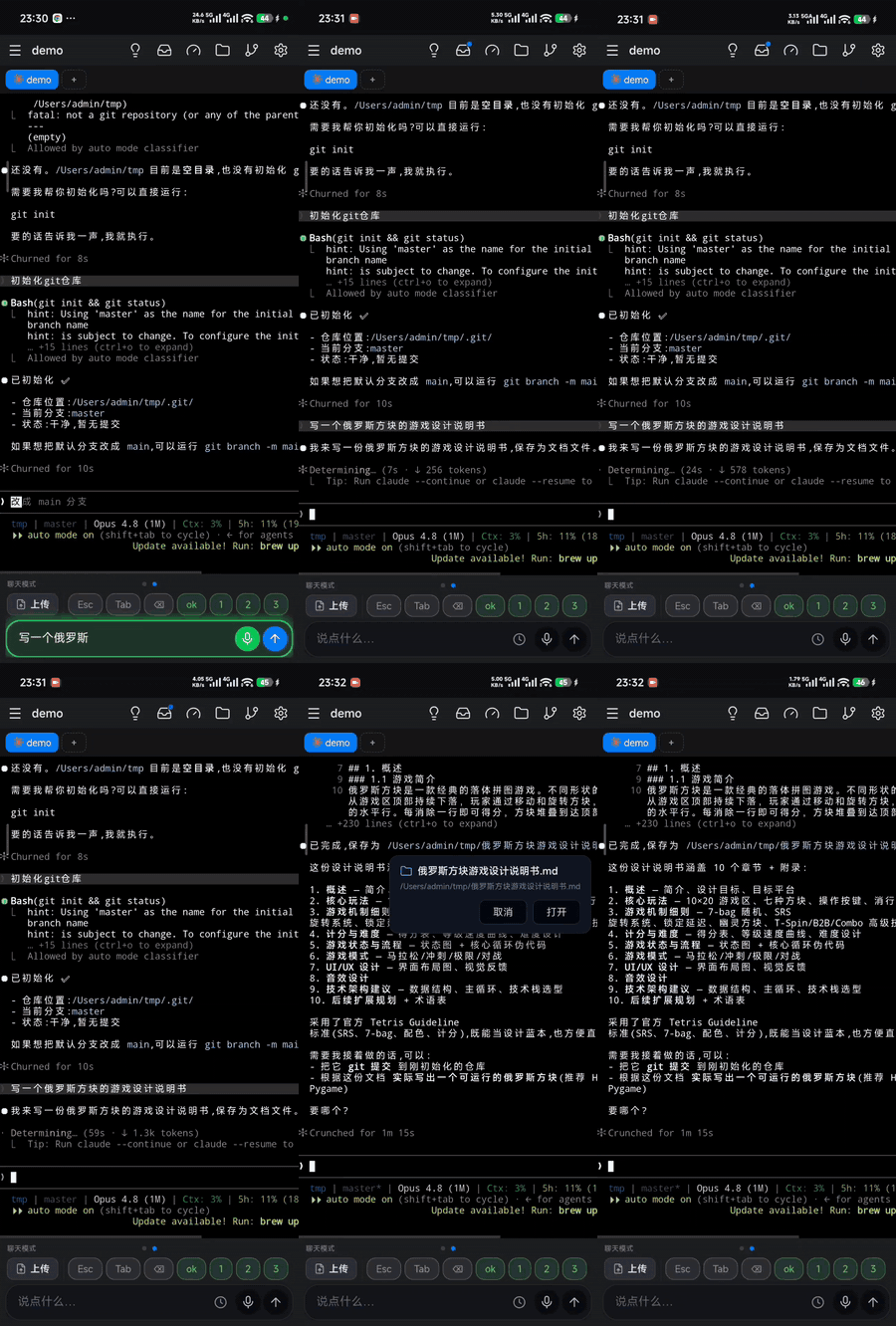
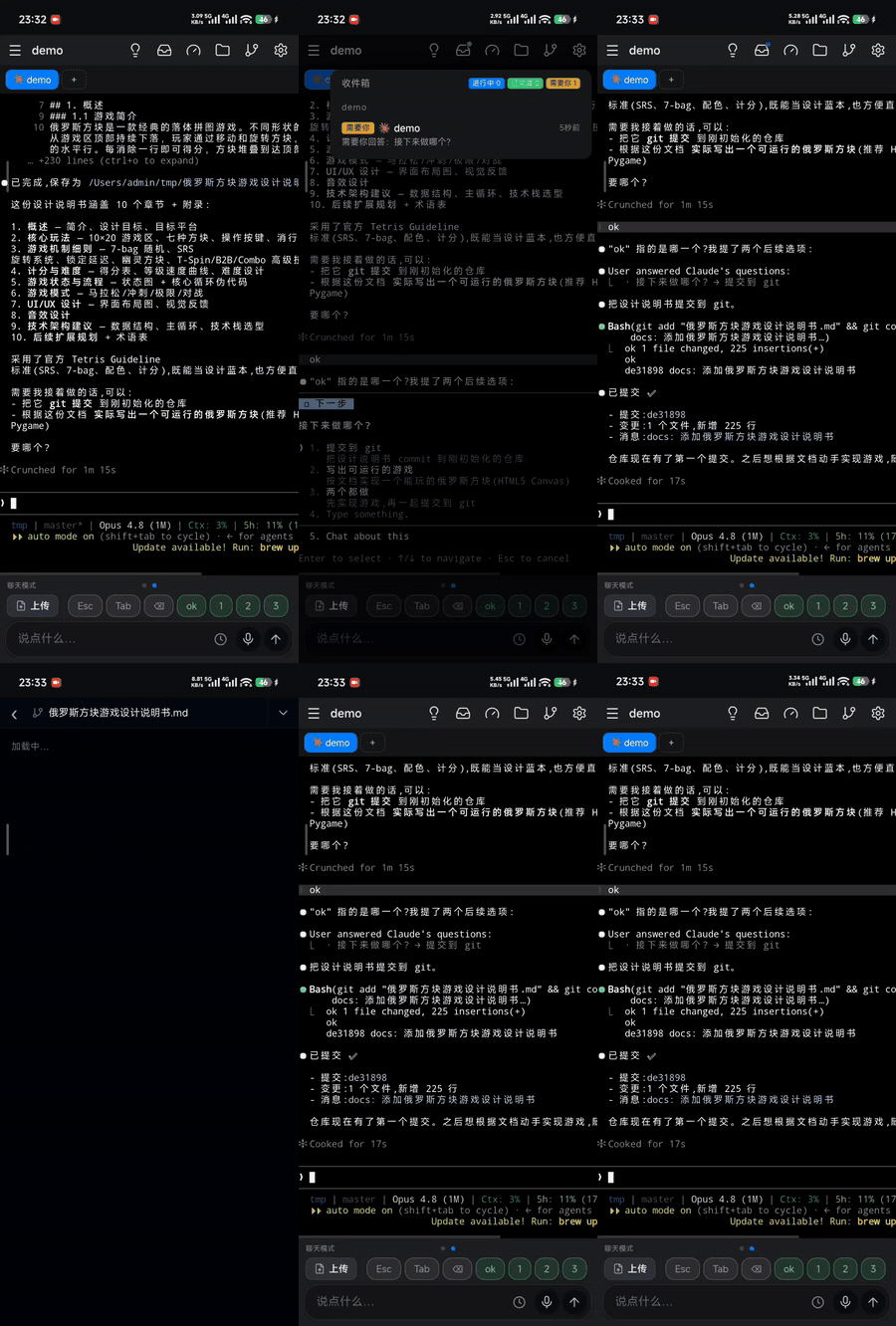
Drive any terminal agent; with Claude Code and Codex, handmux also knows when a pane is working, blocked, done or stopped by an error.


Pinged when it needs you
Permission, plan and completion alerts reach your phone even when the page is closed.
Who's busy, who's waiting — one glance
One inbox shows every pane as working, needs you, done or error; tap one to jump there.
Approve with your thumb
Approve permissions and plans from your phone, directly in the real terminal session.
Three ways to drive coding agents from a phone — with different session, data and account boundaries.
| handmux | Happy | Claude app (official) | |
|---|---|---|---|
| Your Claude subscription | ✓ Official Claude Code runs in your terminal; handmux only displays and drives that session. | ! A third-party wrapper; subscription OAuth use is subject to Anthropic's client policy. | ✓ First-party. |
| Agents it can drive | Claude Code · Codex, plus any terminal agent or TUI. | Claude Code & Codex only. | Claude only. |
| What you install | Nothing — a web app; add to Home Screen for a full-screen PWA. | A native app, plus a wrapper CLI on your computer. | A native app. |
| Data path | Phone ↔ your computer — no middleman, no handmux account. | Relayed through Happy's cloud (end-to-end encrypted). | Relayed through Anthropic's cloud. |
| Same session as your PC | ✓ The same live tmux pane — close the laptop, keep going. | A wrapper-managed session for remote takeover. | Remote Control via cloud relay. |
| Beyond the agent | The full terminal — git, shells, editors, anything in the pane. | Agent sessions only. | Claude only. |
| Coding companions | Git, previews, docs, files and idea capture in one cockpit. | — | — |
| Reachable in mainland China | ✓ Self-hosted — direct connect, or a tunnel on your own account (incl. natapp / cpolar). | Relay hosted abroad. | Availability varies by network. |
Agent support follows each product's documentation. See Anthropic's credential policy.
One command — and it's running
One command to install and start, then scan the QR. If Node and tmux are ready, your phone is in the terminal in about a minute.
Zero install — with a native-app feel
No App Store, no client. Add the PWA to your Home Screen for a full-screen, native-like experience on iPhone and Android, including push notifications.
Your workspace survives a restart
Recover your tmux workspace after a restart — sessions, windows, panes and safe agent context. Existing sessions stay untouched; restore from phone or CLI.
Chat view — the session as a conversation
Use Codex CLI as a synchronized chat with streaming Markdown, tool activity, Goals, approvals and context usage. Optional Claude Code and Pi integrations use the same workspace where supported.
Move between the terminal and conversation without leaving the tmux session already running on your computer.
Subscriptions and API balances, always in view
Track supported Agent subscription limits and configured API-provider balances in one place. Full API keys stay on your computer and never return to the browser.
Real-time terminal, the right keyboard everywhere
Live terminal everywhere: resilient streaming and direct Alt/Space keys on mobile, plus full physical-keyboard input and native copy/paste on desktop.
A git client in your hand
VS Code-style Git on your phone: working changes, history, branches and full-screen colored diffs. Multi-repo and read-only, so your tree stays untouched.
Split, close, and map panes from your phone
Control real tmux layouts from your phone: see every pane, split, close and jump between them. Every change appears instantly on desktop.
One previewer for sites and local folders
Preview running websites, intranet pages and static folders from your phone, either directly or through your computer.
Docs you can read — or hear — and files both ways
Open and listen to readable files, then upload, download or share files in either direction without leaving the workspace.
Reach it anywhere — direct, zero-config, or self-hosted
Connect your way: direct on LAN or public IP, Cloudflare, natapp/cpolar, or your own SSH server. handmux configures the route; the account remains yours.
Script push — notify your phone from a script
Push from any script or CI job straight to your phone. Target every device, one tmux session or one device — without a remote handmux service.
Free, open-source, no relay
Free, open-source and self-hosted. No handmux cloud, account or relay sits between your computer and phone — even when you use a supported tunnel.
good to know
- Voice input: dictate prompts or capture ideas through supported iFlytek and Tencent recognition.
- Update alerts: know when a new release is ready, then reload the client from Settings after upgrading.
- Built for flaky networks: reconnects, falls back and resumes without losing your place.
- Image & GIF viewer: pinch-zoom, save and share terminal images.
- Starts at login: bring handmux back automatically after a reboot.
- Idea capture: keep notes per window and send them into the prompt.
handmux startHandmux runs on your machine and stays private by default. Connect directly when you can, or choose a tunnel on your own account.
Use your LAN, public IP or domain directly — no relay required.
No public endpoint? Choose Cloudflare, natapp/cpolar or SSH. Handmux configures the route; the provider account remains yours.
Install Node and tmux on your computer; your phone only needs a browser.
npm i -g handmux   # install once
handmux start       # run it, then scan the QR it prints — you're on your phone
Setup, notifications, tunnels and Windows/WSL2 live in the full guide →
Report bugs or propose features in Chinese or English. Open an issue →
In China, scan to add the author on WeChat, note handmux, and join the user group.